
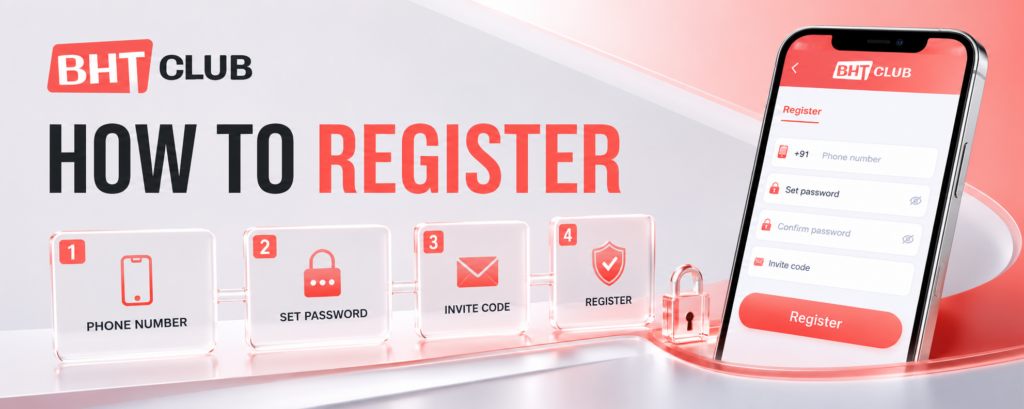
BHT Club How To Register: Step-by-Step Instructions
Before You Register
Have these details ready before opening the form:
an active Indian mobile number;
a new password that you can remember;
the correct invitation code; and
a private phone or computer that you trust.
Registration is only for new users. If your phone number is already connected to an account, use I have an account — Login at the bottom of the form.

BHT Club Register Instructions
Step 1: Open the registration page
Open Bht Club Website in your browser and select Register. Check the address carefully before entering your details. The correct registration screen should show Register your phone together with fields for your phone number, password, password confirmation and invitation code.
Step 2: Select the country code
Choose +91 for an Indian mobile number. Enter your 10-digit phone number in the box beside it.
Do not type +91 again inside the phone-number field. Before continuing, check every digit because this number will be connected to your new account and used when you log in later.
Step 3: Create your password
Enter a new password in the Set password field. Use a combination that is difficult for another person to guess. Avoid simple passwords based on your name, birthday, mobile number or repeated digits.
Keep this password private. BHT Club support, a referrer or another player should never need to know it.
Step 4: Confirm your password
Type the same password again in the Confirm password field. Both entries must match exactly.
If the form reports that the passwords do not match, delete both entries and type them again slowly. Check capital letters, numbers and symbols. You may use the eye icon to check your typing when you are on your own device and nobody else can see the screen.
Step 5: Enter the invitation code
Add the correct code in the Invite code or Invitation code field. If the registration link has already filled in the code, check it and leave it unchanged unless you were given a different valid code.
Do not copy random codes that promise a guaranteed reward. Any welcome offer or referral benefit depends on the conditions displayed inside the platform and should be checked before you accept it.
Step 6: Accept the Privacy Agreement
Read the Privacy Agreement, then tick the box if you understand and accept it. The Register button may not work while this box is unticked.
Take a moment to understand what account information the service collects and how it may be used. Do not continue if the page asks for details that do not belong in the registration form, such as your UPI PIN, bank-card PIN or banking password.
Step 7: Press Register
Review the phone number, password confirmation and invitation code, then press Register once. Do not tap the button repeatedly while the page is processing.
When registration is successful, the page may open your account or direct you to the login screen. Save the exact phone number and password you used so you can access the same account later.
Check the Form Before Pressing Register
| Form item | What to enter |
|---|---|
| Country code | +91 for India |
| Phone number | Your active 10-digit mobile number |
| Set password | A new, private password |
| Confirm password | The exact same password |
| Invitation code | The valid code supplied with the registration link or by your referrer |
| Privacy Agreement | Tick after reading and accepting it |
If BHT Club Registration Is Not Working
“Invalid phone number”
Make sure +91 is selected and enter only the 10-digit Indian mobile number in the main field. Remove spaces, dashes and a second country code.
“Phone number already registered”
The number may already belong to an existing account. Do not create another account with someone else’s number. Select I have an account — Login and use the password connected to your number.
“Passwords do not match”
The password in Set password and Confirm password must be identical. Retype both fields and check the capitalisation.
“Invalid invitation code”
Check that the code has been copied completely and does not contain an extra space. If it was automatically filled by the registration link, reopen the checked link rather than guessing a different code.
Register button does not respond
Confirm that every required field is complete and the Privacy Agreement box is ticked. Check your internet connection, refresh the page once and try again in an updated browser.
Page keeps loading
Wait a few seconds before pressing the button again. If the page remains stuck, close the tab and open the checked registration page directly. Avoid submitting the form many times because this may create confusion about whether the account was completed.
Protect Your New Account Bht Club
Use a password created only for this account and do not share it with friends, agents or support accounts. Avoid registering on a public computer or shared phone. After creating the account, bookmark the checked page so you do not have to search for a new link every time.
Never send your password, UPI PIN, card PIN or full banking details through chat. If a page or person asks for these details during registration, stop and leave the page.
Already Have an Account?
Do not register again. Select I have an account — Login, then enter the mobile number and password used for your existing account.
Secondary button text: GO TO BHT CLUB LOGIN
Responsible-Use Reminder
Only adults aged 18 or above should use real-money gaming services, and users should first check whether participation is permitted where they live. Set personal time and spending limits, never use money needed for bills or family expenses, and never borrow money to play.